
You are using an out of date browser. It may not display this or other websites correctly.
You should upgrade or use an alternative browser.
You should upgrade or use an alternative browser.
Windows 11 support needed, registry pop-ups
- Thread starter cactikid
- Start date

cactikid
Active member
It came loaded on it when bought.I would not used Mcaffe in the first place , that will definitely slow your pc down

Yes get rid of that cr*p, I if I remember you use this tool>>It came loaded on it when bought.

When to Use Safe Mode
• Use Safe Mode as a troubleshooting step if the standard uninstallation fails, freezes, or gives you error messages.
• Safe Mode stops McAfee's self-protection mechanisms and kernel-level drivers from blocking the removal process.
• Booting into Safe Mode can also make running the MCPR tool more effective if normal mode execution is blocked
Better off to boot your pc in Safe Mode first then run the MCPR tool
• Use Safe Mode as a troubleshooting step if the standard uninstallation fails, freezes, or gives you error messages.
• Safe Mode stops McAfee's self-protection mechanisms and kernel-level drivers from blocking the removal process.
• Booting into Safe Mode can also make running the MCPR tool more effective if normal mode execution is blocked
Better off to boot your pc in Safe Mode first then run the MCPR tool


Win11Debloat
Win11Debloat is a lightweight, easy to use PowerShell script that allows you to quickly declutter and customize your Windows experience, no installation required! You can use it to remove pre-installed apps, disable telemetry, remove intrusive interface elements and much more. No need to painstakingly go through all the settings yourself or remove apps one by one. Win11Debloat makes the process quick and easy!
The script also includes many features that system administrators and power users will enjoy. Such as a powerful command-line interface, support for Windows Audit mode and the ability to make changes to other Windows users. You can also easily export & import your preferred settings, allowing you to quickly apply the same settings on all your systems.

Be careful when using this program
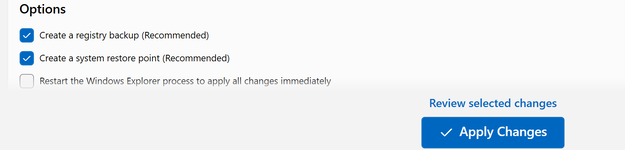
Win11Debloat is a lightweight, easy to use PowerShell script that allows you to quickly declutter and customize your Windows experience, no installation required! You can use it to remove pre-installed apps, disable telemetry, remove intrusive interface elements and much more. No need to painstakingly go through all the settings yourself or remove apps one by one. Win11Debloat makes the process quick and easy!
The script also includes many features that system administrators and power users will enjoy. Such as a powerful command-line interface, support for Windows Audit mode and the ability to make changes to other Windows users. You can also easily export & import your preferred settings, allowing you to quickly apply the same settings on all your systems.
Be careful when using this program