Buying: 3D printer £500/£1000

NoodlesJoe

Active member
VIP
Right in the new year I'm going to buy a 3D printer
I don't want a large one but that takes up a lot of space but be able to print around 4 or 5 inches tall if possible
: Do I need to raise my budget?
: What models should I look at?
: Any advice
TIA Joe🤓
 
Wow them machines have moved on since I used to do 3D Printing, I had the earlier Creality no bed levelling (Manually done) until a attachment came out to assist. One colour I think you have re-inspired me to to have a look again at 3D Printing I gave my other away.
Allot of failures in them days these like they have it cracked now.
 
Wow them machines have moved on since I used to do 3D Printing, I had the earlier Creality no bed levelling (Manually done) until a attachment came out to assist. One colour I think you have re-inspired me to to have a look again at 3D Printing I gave my other away.
Allot of failures in them days these like they have it cracked now.
What windows app do you use or think is good?
I just download OrcaSlicer to test/try 🤓

Getting ahead of myself here 🤣🤣
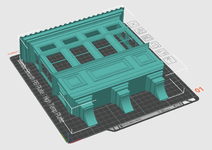
Screenshot 2026-08-25 160950.png
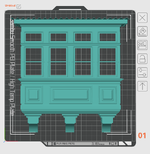
Screenshot 2026-08-25 160933.png
 
What windows app do you use or think is good?
I just download OrcaSlicer to test/try 🤓

Getting ahead of myself here 🤣🤣
View attachment 300
View attachment 298
Hi NoodlesJoe when I was slicing I used PrusaSlicer https://www.prusa3d.com/p/prusaslicer/
But here is where I am going to have a rethink and look round as I have changed all my PC,s / Laptops to Linux but if my memory serves me right there are online slicers ???.
A quick search :- for Linux Slicers it looks like I will be OK

3D Printing Slicers for Linux​

If you are looking for software to slice 3D models for FDM or resin printers, several robust options exist for Linux, often available as AppImages, Flatpaks, or Snap packages.

Top Recommended Slicers​

  • OrcaSlicer: A highly recommended, free, open-source slicer known for advanced calibration tools and intelligent support generation. It is best installed on Linux via Flathub (flatpak install flathub com.orcaslicer.OrcaSlicer) or by running the official AppImage.
  • PrusaSlicer: A mature, feature-rich slicer compatible with any FDM or resin printer. It can be easily installed on Debian-based systems via Snap (sudo snap install prusaslicer-prusa3d) or Flatpak (flatpak install flathub com.prusa3d.PrusaSlicer).
  • UltiMaker Cura: One of the most popular slicers, available for Linux as an AppImage which runs on most distributions without complex installation. Users report it works well on Ubuntu and openSUSE.
  • Slic3r: A lightweight, dependency-free option that can run directly from a folder. It is a foundational project for many other slicers but remains a viable standalone choice for basic needs.
 
I only have experience of a Bambu H2S. The printer is the size of a small fridge, so it may not be the best choice if space is at a premium.
The set-up was an absolute breeze, with the obligatory benchy being churned out not long after the initial calibration had been completed.

Bambu Labs provide a wealth of support...they even have a video on how to unbox and remove the packing prior to powering the device on.
Bambu Studio is the slicer of choice, and as a hobbyist, it does precisely what I need it to do. There's also Bambu Academy if you require some additional guidance or want to delve a bit deeper into the intricacies.

I would definitely recommend some sort of multi-filament changer such as the AMS 2 Pro, this is an essential piece of kit IMHO.

My printer used to be powered on 24/7 as the switch was inaccessible, but now I control it with a TAPO plug and can turn it on and print out plastic s**t from anywhere in the world :)
 
I only have experience of a Bambu H2S. The printer is the size of a small fridge, so it may not be the best choice if space is at a premium.
The set-up was an absolute breeze, with the obligatory benchy being churned out not long after the initial calibration had been completed.

Bambu Labs provide a wealth of support...they even have a video on how to unbox and remove the packing prior to powering the device on.
Bambu Studio is the slicer of choice, and as a hobbyist, it does precisely what I need it to do. There's also Bambu Academy if you require some additional guidance or want to delve a bit deeper into the intricacies.

I would definitely recommend some sort of multi-filament changer such as the AMS 2 Pro, this is an essential piece of kit IMHO.

My printer used to be powered on 24/7 as the switch was inaccessible, but now I control it with a TAPO plug and can turn it on and print out plastic s**t from anywhere in the world :)
Ya the Bambu Lab P2S looks good, shame I can't see it on Amazon as I'll have £100 off
They do have this one Bambu Lab P1S Combo
When you say "multi-filament changer" do you mean the thing where you load the spools?

Also what is the difference between the Bambu Lab P1S Combo and Bambu Lab P2S Combo apart from the larger touch screen?
 
Last edited:
When you say "multi-filament changer" do you mean the thing where you load the spools?

Also what is the difference between the Bambu Lab P1S Combo and Bambu Lab P2S Combo apart from the larger touch screen?
Yes the Bambu AMS 2 PRO can take 4 spools at a time. If you're feeling flush, you can daisy-chain up to 4 x AMS units (automated Material Systems) giving you 16 different colours.

Unfortunately I have no experience of the P1/2S printers, hopefully this is of some use:

 
Back
Top