
You are using an out of date browser. It may not display this or other websites correctly.
You should upgrade or use an alternative browser.
You should upgrade or use an alternative browser.
Bios update on PC
- Thread starter MELTTC
- Start date

 lol

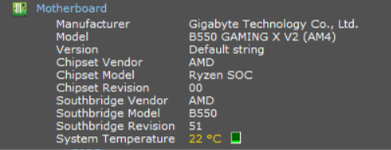
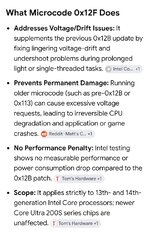

Have a read here>>
ask anything section
If you share your motherboard brand and exact model number (e.g., ASUS Z790, Gigabyte B660), I can help point you directly to the right support page or instructions for your board
ask anything section
If you share your motherboard brand and exact model number (e.g., ASUS Z790, Gigabyte B660), I can help point you directly to the right support page or instructions for your board
Last edited:

MELTTC
New member
Thanks m8 i will have to have a look in the loft for the box's as I'm unsure what motherboard it isHave a read here>>
ask anything section
If you share your motherboard brand and exact model number (e.g., ASUS Z790, Gigabyte B660), I can help point you directly to the right support page or instructions for your boar

MELTTC
New member
Daughter is scared in case it bricksThere's normally a flashing tool for the bios too. You can flash the bios via windows iirc, but not flashed one for sometime.
Very unlikely as long as the correct BIOS file is used, or the PC loses battery power during update (make sure its charging). Check Windows Updates and manufacturer to see if a BIOS update is available. Then follow the update process to install it.Daughter is scared in case it bricks

It sounds like you have never flashed a BIOS before, its not as scary as you might think. If you take off the side panel of the pc you should be able to see the bios version written on the motherboard. Go to the Motherboard manufacturers web site and find the most upto date bios version. After that you can download the bios file(and probably rename) copy to a Pen/thumb drive and install, usually there is a usb port designated as a bios flashback port, not sure what board you are using but a 14600kf should have a bios flashback facility.